

Safe Boxes for Office Use – Protecting Daily Cash and Receipts. In bustling offices where petty cash, receipts, and sensitive documents circulate daily, an office safe box offers a secure, organized solution. Here’s why investing in the right safe transforms your workflow…
1. Why Your Office Needs a Dedicated Safe Box
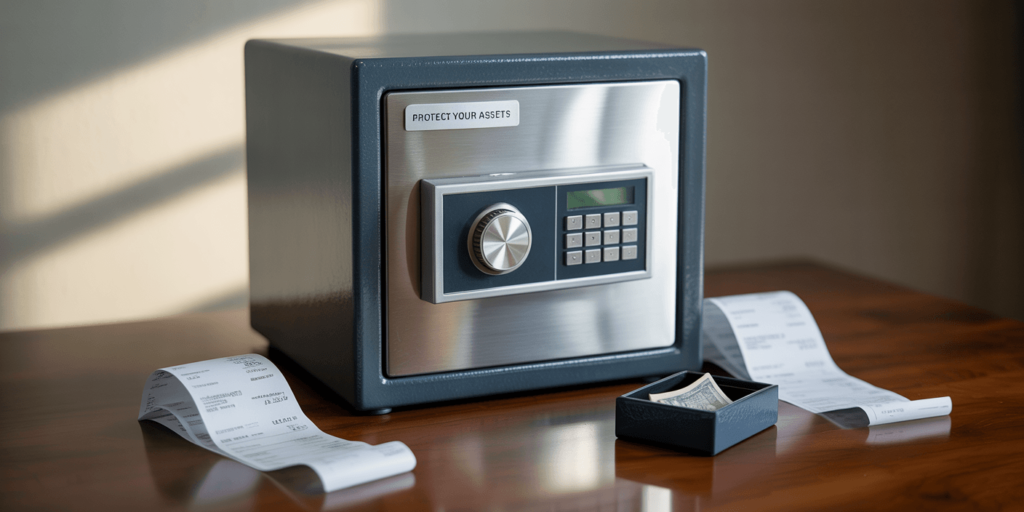
Leaving cash and receipts in desk drawers or filing cabinets exposes them to theft, loss, and accidental damage. A dedicated office safe box provides a centralized, tamper-resistant container engineered to withstand unauthorized entry. Its steel walls and precision locks deter opportunistic and professional thieves, reducing the risk of financial discrepancies and protecting both company assets and employee trust.
| Risk Type | Office Safe Benefit |
|---|---|
| Internal Theft | Audit-trail capable locks |
| External Burglary | Hardened steel construction |
| Misplacement | Centralized storage |
2. Common Uses in Office Environments
Office safe boxes store daily cash deposits, credit-card receipts, petty cash funds, and expense vouchers. They also secure blank checks, signed contracts, and small electronic backup drives. By housing all sensitive financial items in one locked container, offices streamline end-of-day reconciliations and protect against unauthorized access during off-hours.
3. Types of Office Safe Boxes
Desktop safes sit on countertops for quick access, drawer safes conceal under workstations, and wall-mount units integrate flush into office walls, hidden behind panels or inside cabinets. Each form factor balances visibility, ease of use, and concealment. Choosing the right style depends on office layout, access frequency, and security protocols.
4. Key Security Features to Evaluate
Look for safes with audit-trail capabilities that log every opening event—timestamp, user ID, and method (key, code, or biometric). Relockers engage on tamper detection, while anti-pry flanges thwart drilling attempts. Fireboard liners and waterproof seals safeguard receipts and cash against environmental hazards.
| Security Feature | Protective Function |
|---|---|
| Audit Trail | Forensic access records |
| Relocker Mechanism | Locks down upon tampering |
| Anti-Pry Flanges | Blocks tool-based intrusion |
| Fireboard Liner | Delays heat transfer |
5. Determining the Right Size and Capacity
Estimate daily cash and receipt volumes, then add space for weekly or monthly accumulations. Compact 0.5 cu ft safes suit small offices, while 1.0–1.5 cu ft models accommodate larger businesses. Allow a 20% buffer for unexpected surges—overpacking can strain locks and compromise seals.
6. Locking Mechanism Options
Mechanical combination dials offer power-free reliability; electronic keypads allow multiple user codes and time-delay functions; biometric scanners deliver rapid, fingerprint-based access. Hybrid systems combine keypad entry with mechanical override keys, ensuring access even during power outages or sensor failures.
7. Installation and Anchoring Best Practices
Proper anchoring turns a safe into an immovable asset. For wood subfloors, use ½″ lag bolts; for concrete slabs, ⅜″ wedge anchors; and for wall studs, ¾″ carriage bolts into solid backing. Secure mounting prevents thieves from hauling the entire box away, enhancing overall deterrence.
| Mount Substrate | Anchor Type | Embedment Depth |
|---|---|---|
| Wood Subfloor | ½″ Lag Bolt | 2″ |
| Concrete Slab | ⅜″ Wedge Anchor | 2″ |
| Wall Stud | ¾″ Carriage Bolt | 2″ |
8. Fire and Water Resistance Considerations
Choose safes with UL 72 Class 350 or ETL Verified ratings, guaranteeing 30–60 minutes of internal temperature protection at 1,550 °F. Waterproof seals using EPDM gaskets and drain ports shield cash and paper receipts from sprinkler activation and minor floods, preserving legibility and integrity.
9. Interior Organization for Efficiency
Removable trays separate cash denominations; vertical file racks keep receipt bundles upright; foam-lined pouches cradle company credit cards. Adjustable shelves accommodate varying deposit sizes, ensuring that every item has a designated spot and reducing retrieval time during audits or emergencies.
10. Integration with Office Security Systems
Modern safes connect via LAN or wireless to alarm panels and management software. Tamper alerts, door-open notifications, and low-battery warnings generate real-time alerts on office dashboards. Audit logs sync with financial software, streamlining end-of-day reconciliation and enhancing oversight.
| Integration Method | Operational Benefit |
|---|---|
| Alarm Panel | Immediate unauthorized alert |
| Management Software | Automated audit log import |
| Mobile Notifications | Real-time status updates |
11. User Access Policies and Training
Define multi-user roles with unique PINs or biometric profiles. Implement time-delay locks to discourage forced entry. Train staff on code creation, override procedures, and emergency access protocols. Clear policies and periodic drills ensure consistent, secure usage without hampering daily operations.
12. Maintenance and Reliability Routines
Quarterly lubrication of mechanical locks with graphite spray prevents wear. Replace batteries in electronic or biometric systems annually or on low-battery alerts. Inspect gasketing and fire liner condition every five years. Regular upkeep preserves both security features and environmental protections over the safe’s service life.
| Maintenance Task | Frequency |
|---|---|
| Lock Lubrication | Quarterly |
| Battery Replacement | Annually |
| Gasket Inspection | Every 5 years |
13. Cost vs. Value Analysis
Entry-level office safes ($150–$300) provide basic mechanical locks and minimal fire protection. Mid-range models ($300–$500) add electronic keypads, audit-trail logging, and 60-minute fire ratings. Premium units ($500+) include biometric access, advanced environmental seals, and system integration. Compare safe cost against potential cash loss and operational efficiencies to determine ROI.
14. Insurance and Liability Benefits
Certified safes often reduce business insurance premiums by demonstrating robust internal controls. Maintaining audit logs and installation receipts qualifies for coverage discounts and higher liability limits, offsetting purchase costs over time and safeguarding against financial claims.
15. Final Checklist for Selecting Your Office Safe Box
- Audit daily cash and receipt volumes.
- Choose form factor: desktop, drawer, or wall mount.
- Prioritize security features: audit trails, relockers, and fire/water ratings.
- Select lock type based on user count and access policies.
- Plan installation substrate and anchoring method.
- Budget according to required features and integrate with office systems.
By following this structured approach, you’ll select the best safe box that secures daily cash and receipts with confidence.
FAQ
Q1: How large should my office safe be?
Match capacity to your daily cash and receipt volumes, then add 20% buffer; typically 0.5–1.5 cu ft suffices.
Q2: Are electronic keypads more secure than mechanical dials?
Yes—keypads allow multiple codes and precise audit logs, but require battery maintenance, unlike power-free dials.
Q3: Can I anchor a safe to a raised floor?
Yes—use specialized anchors or backing plates to distribute load across floor panels and into supporting joists.
Q4: How often should I replace safe batteries?
Annually or immediately upon low-battery alerts to avoid lockouts during business hours.
Q5: Do integrated safes require special software?
They often use vendor-provided plugins or APIs; ensure compatibility with your existing security or financial systems before purchase.

